

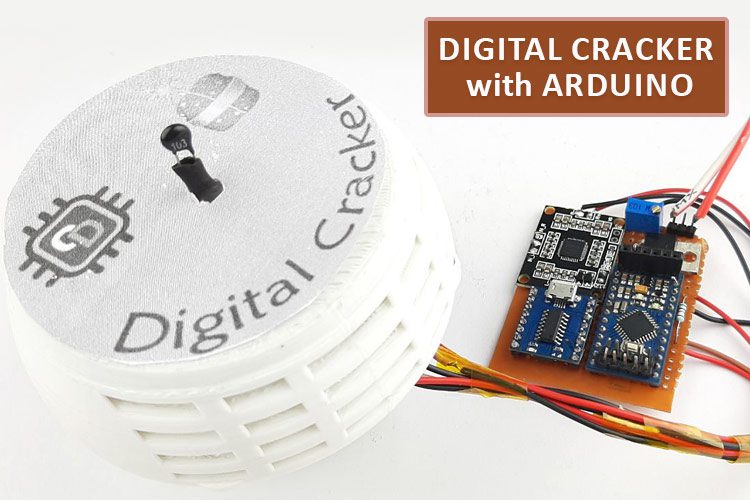
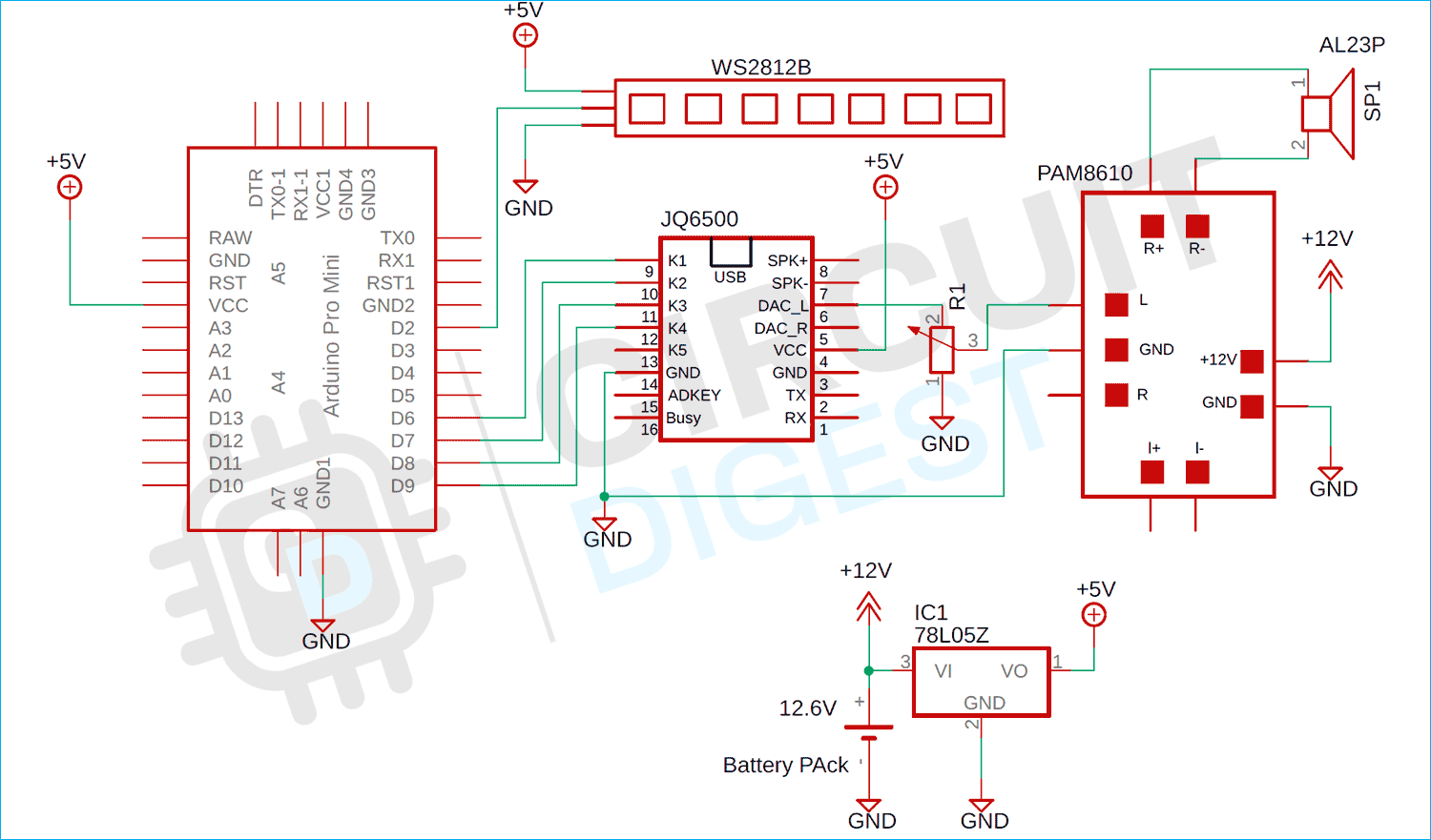
Code
#include
#define PIN    6  // Pin IO numérique connecté aux NeoPixels.
#define NUMPIXELS 6  // Nombre de NeoPixels
#define  PIN_K1 9
#define  PIN_K2 8
#define  PIN_K3 7
#define  PIN_K4 6
#define THERMISTOR_PIN A1
Adafruit_NeoPixel pixels(NUMPIXELS, PIN, NEO_GRB + NEO_KHZ800);
int interval = 15000;
unsigned long previousMillis = 0;
bool  flag = 0;
void setup() {
  pinMode(THERMISTOR_PIN, INPUT);
  pinMode(PIN_K1, OUTPUT);
  pinMode(PIN_K2, OUTPUT);
  pinMode(PIN_K3, OUTPUT);
  pinMode(PIN_K4, OUTPUT);
  digitalWrite(PIN_K1, HIGH);
  digitalWrite(PIN_K2, HIGH);
  digitalWrite(PIN_K3, HIGH);
  digitalWrite(PIN_K4, HIGH);
  Serial.begin(115200);
  pixels.begin();
}
void loop() {
  int sensorValue = analogRead(THERMISTOR_PIN);
  unsigned long currentMillis = millis();
  if ((unsigned long)(currentMillis - previousMillis) >= interval) {
    flag = 1;
    previousMillis = currentMillis;
  }
  Serial.println(sensorValue);
  pixels.clear();
  pixels.show();
  if (sensorValue < 130 && flag == 1)
  {
    flag = 0;
    int rand_num = random(0, 3);
    Serial.println(rand_num);
    if (rand_num == 1)
    {
      bomb_sound_1();
      Serial.println("Déclenché1 ");
    }

    if (rand_num == 2)
    {
      bomb_sound_2();
      Serial.println("Déclenché2");
    }
  }
}
void bomb_sound_1()
{
  digitalWrite(PIN_K1, LOW);

  for (int i = 0; i < 50; i++) {
    flame();
    delay(30);
  }
  for (int i = 0; i < NUMPIXELS; i++) {
    pixels.setPixelColor(i, pixels.Color(255, 255, 255));
    pixels.show();
  }
  delay(1000);
  digitalWrite(PIN_K1, HIGH);
}
void bomb_sound_2()
{
  digitalWrite(PIN_K2, LOW);
  for (int i = 0; i < NUMPIXELS; i++) {
    pixels.setPixelColor(i, pixels.Color(255, 0, 0));
    pixels.show();
    delay(750);
  }
  for (int i = 0; i < NUMPIXELS; i++) {
    pixels.setPixelColor(i, pixels.Color(255, 255, 255));
    pixels.show();
  }
  delay(1000);
  digitalWrite(PIN_K2, HIGH);
}
void flame()
{
  int r = 226, g = 110, b = 35;
  for (int i = 0; i < pixels.numPixels(); i++) {
    int flicker = random(0, 55);
    int r1 = r - flicker;
    int g1 = g - flicker;
    int b1 = b - flicker;
    if (g1 < 0) g1 = 0;
    if (r1 < 0) r1 = 0;
    if (b1 < 0) b1 = 0;
    pixels.setPixelColor(i, r1, g1, b1);
  }
  pixels.show();
  delay(random(10, 113));
}
Retrouvez l'histoire de Raspberry Pi dans cette vidéo :

-
 AZDelivery 3 x Mini MP3 Compatible avec Arduino incluant Un E-Book!
 -
 Rxgiasup Lecteur de musique contrôlé par port série JQ6500 Module vocal pour projets de téléchargement de fichiers USB MultiChannel Module de lecture MP3