

Copier le code
# Workflow: Connects to drone -> Loads Vosk AI model -> Initializes PyAudio stream ->
# Recognizes voice keywords -> Delivers LiteWing flight and LED commands.
# LiteWing Voice Control System (Vosk Offline)
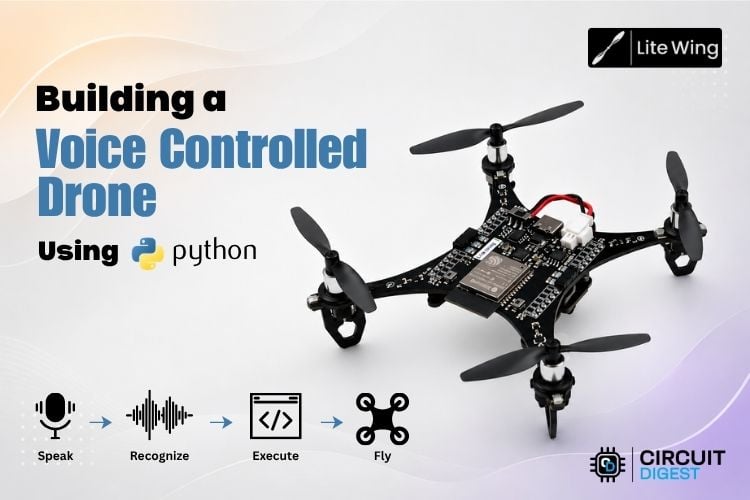
# This script allows controlling a LiteWing drone using voice commands.
#
# Required Libraries:
#   vosk        (pip install vosk)
#   pyaudio     (pip install pyaudio)
#   litewing    (pip install litewing)
#
# Model Setup:
#   Download Vosk model from: https://alphacephei.com/vosk/models
#   Extract to a folder named 'model/' in the project root or script directory.
import os, json, time, threading, msvcrt, io, sys
import pyaudio
from vosk import Model, KaldiRecognizer
from litewing import LiteWing
from litewing.manual_control import run_manual_control
# ── Config ────────────────────────────────────────────
DRONE_IP     = "192.168.43.42"    # IP address of the LiteWing drone
DEBUG_MODE   = 1             # 1 = simulate flight (no motors), 0 = real flight
MIC_INDEX    = 1                  # Index of the microphone to use (System dependent)
MAX_HEIGHT   = 0.5               # Maximum allowed fly altitude in meters
MIN_HEIGHT   = 0.2               # Minimum allowed fly altitude in meters
SENSITIVITY  = 0.2             # Speed and responsiveness of movement (0.0 - 1.0)

# Check for model in current dir, then in parent (root)
SCRIPT_DIR   = os.path.dirname(os.path.abspath(__file__))
MODEL_PATH   = os.path.join(SCRIPT_DIR, "model")
if not os.path.isdir(MODEL_PATH):
   MODEL_PATH = os.path.join(os.path.dirname(SCRIPT_DIR), "model")

LED_COLORS = {
   "red": (255,0,0), "green": (0,255,0), "blue": (0,0,255),
   "yellow": (255,255,0), "purple": (255,0,255),
   "orange": (255,165,0), "white": (255,255,255), "off": (0,0,0),
}

# ── Controller ────────────────────────────────────────
class VoiceDrone:
   def __init__(self):
       self.drone = LiteWing(DRONE_IP)
       self.drone.debug_mode  = bool(DEBUG_MODE)
       self.drone.sensitivity = SENSITIVITY
       self.drone.target_height = 0.3
       self.drone.enable_sensor_check = False
       self._running     = True
       self._key_timer   = 0.0
       print(f"Loading Vosk model from '{MODEL_PATH}' ...")
       self._rec = KaldiRecognizer(Model(MODEL_PATH), 16000)
       self._pa  = pyaudio.PyAudio()
       print("Model loaded.")
   # ── Key helpers ───────────────────────────────────
   KEY_LABELS = {
       "w": "Forward", "s": "Backward",
       "a": "Left",    "d": "Right",
       "q": "Turn Left", "e": "Turn Right",
   }
   def _set_key(self, key, duration=1.0):
       self._clear_keys()
       if key in self.drone._manual_keys:
           self.drone._manual_keys[key] = True
           self._key_timer = time.time() + duration
           print(f"[CMD] {self.KEY_LABELS.get(key, key.upper())}")
   def _clear_keys(self):
       if hasattr(self.drone, "_manual_keys"):
           for k in self.drone._manual_keys:
               self.drone._manual_keys[k] = False
       self._key_timer = 0.0
   def _key_watchdog(self):
       while self._running:
           if self._key_timer and time.time() > self._key_timer:
               self._clear_keys()
           time.sleep(0.05)
   # ── Flight loop with shape queue ──────────────────
   def _flight_loop(self):
       """Starts manual control on takeoff command."""
       print("[DRONE] Arming — taking off ...")
       self.drone._manual_active = True
       # Suppress the library's "Manual control: WASD=..." key-hint line
       _orig_logger = self.drone._logger_fn
       _suppressed  = "Manual control: WASD=Move, Q/E=Yaw, R/F=Up/Down, SPACE=Land"
       self.drone._logger_fn = lambda msg, _o=_orig_logger, _s=_suppressed: (
           _o(msg) if msg != _s else None
       )
       try:
           run_manual_control(self.drone)   # blocks until landed
       except Exception as e:
           print(f"\n[DRONE] Error during flight: {e}")
       finally:
           self.drone._manual_active = False
       print("[DRONE] Landed.")

   # ── Command dispatcher ────────────────────────────
   def process(self, text):
       t = text.lower().strip()
       print(f'[VOICE] "{t}"')
       if any(w in t for w in ["take off", "takeoff", "arm"]):
           if not self.drone.is_flying:
               threading.Thread(target=self._flight_loop, daemon=True).start()
               # _flight_loop prints "[DRONE] Arming..." immediately
       elif "land" in t:
           self._clear_keys()
           self.drone._manual_active = False
       elif any(w in t for w in ["stop", "emergency"]):
           self._clear_keys()
           self.drone._manual_active = False
           self.drone.emergency_stop()
       elif "forward" in t or "front" in t: self._set_key("w")
       elif "backward" in t or "back" in t: self._set_key("s")
       elif "turn left" in t:  self._set_key("q")
       elif "turn right" in t: self._set_key("e")
       elif "left" in t:       self._set_key("a")
       elif "right" in t:      self._set_key("d")
       elif "higher" in t or "up" in t:
           self.drone.target_height = min(self.drone.target_height + 0.1, MAX_HEIGHT)
           print(f"[ALT] -> {self.drone.target_height:.1f}m")
       elif "lower" in t or "down" in t:
           self.drone.target_height = max(self.drone.target_height - 0.1, MIN_HEIGHT)
           print(f"[ALT] -> {self.drone.target_height:.1f}m")
       elif any(w in t for w in ["hover"]):
           self._clear_keys()
       else:
           if "off" in t or "light off" in t:
               self.drone.clear_leds()
               print("[LED] OFF")
           else:
               for name, rgb in LED_COLORS.items():
                   if name in t:
                       self.drone.set_led_color(*rgb)
                       print(f"[LED] {name.upper()}")
                       break
   # ── Mic listen loop ───────────────────────────────
   def _listen(self):
       stream = self._pa.open(
           format=pyaudio.paInt16, channels=1, rate=16000,
           input=True, frames_per_buffer=8000,
           input_device_index=MIC_INDEX
       )
       stream.start_stream()
       print("Mic ready. Say 'take off' to start.")
       while self._running:
           data = stream.read(4000, exception_on_overflow=False)
           if data and self._rec.AcceptWaveform(data):
               text = json.loads(self._rec.Result()).get("text", "").strip()
               if text:
                   self.process(text)
       stream.stop_stream()
       stream.close()
   # ── Entry point ───────────────────────────────────
   def run(self):
       print(f"Connecting to {DRONE_IP} ...")
       try:
           self.drone.connect()
       except Exception as e:
           print(f"[ERROR] {e}"); return
       print("Ready. Say 'take off' to fly.")
       self.drone.set_led_color(255, 255, 255)
       threading.Thread(target=self._key_watchdog, daemon=True).start()
       threading.Thread(target=self._listen,       daemon=True).start()
       print("\nCommands: take off · land · forward · back · left · right")
       print("          turn left · turn right · up · down · hover · stop")
       print("Press Q or Space to quit.\n")
       try:
           while self._running:
               if msvcrt.kbhit() and msvcrt.getch() in (b'q', b'Q', b' '):
                   break
               label = "FLYING" if self.drone.is_flying else "READY"
               print(f"\r[{label}] Bat:{self.drone.battery:.2f}V  Alt:{self.drone.height:.2f}m   ", end="", flush=True)
               time.sleep(0.1)
       except KeyboardInterrupt:
           pass
       finally:
           self._running = False
           self._clear_keys()
           if self.drone.is_flying:
               self.drone.land(0.0, 0.1)
           self.drone.clear_leds()
           print("\nDone.")

if __name__ == "__main__":
   VoiceDrone().run()
Retrouvez l’histoire de Raspberry Pi dans cette vidéo :
-
 Drone avec caméra HD 1080P pour enfants et adultes, télécommande avec écran 2,4 pouces, carte SD 32 Go avec lecteur de cartes, jouet pour garçon et fille, cadeau de Noël
 -
 FERIETELF T29 Drone avec Caméra 1080P, Mini Drone pour Enfants & Adultes, Quadricoptère RC pour Débutants, Temps de Vol de 30 Min, Mode Sans Tête, 3D Flips, 2 Batteries, Cadeau Jouet pour Enfants