

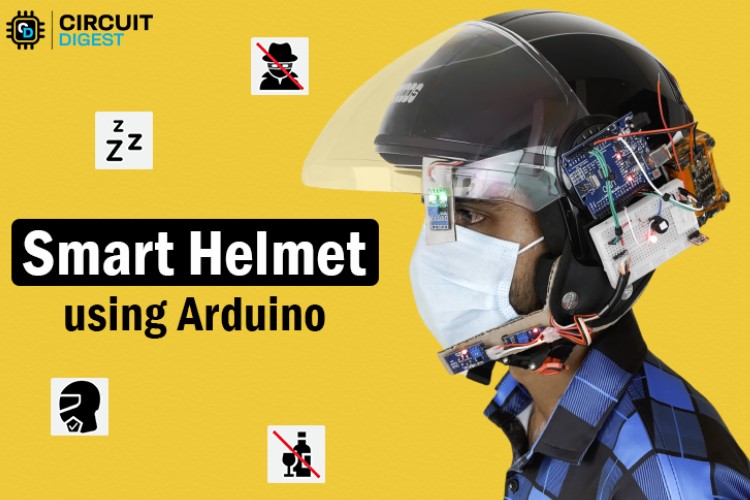
https://www.youtube.com/watch?v=irjuar8dogc
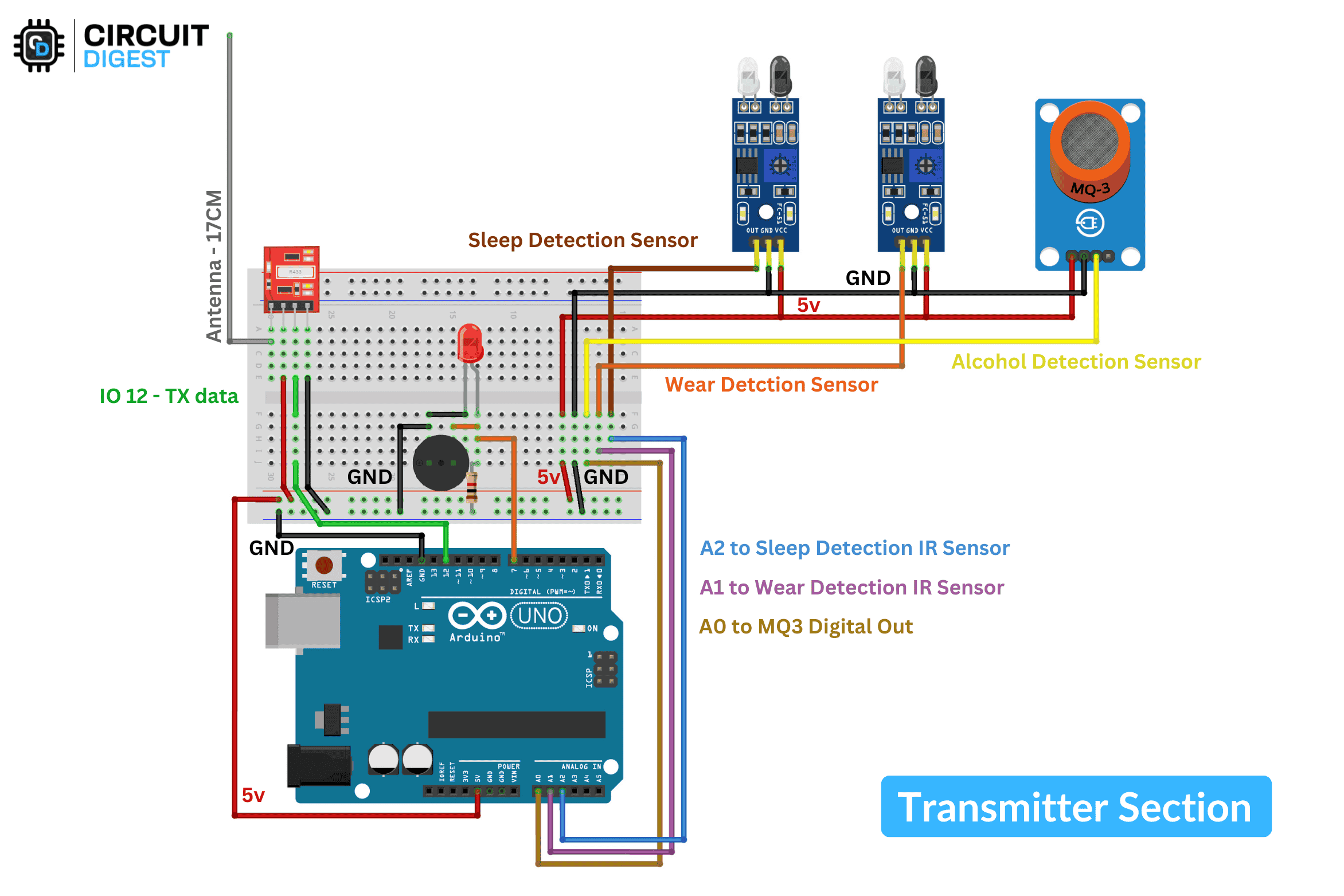
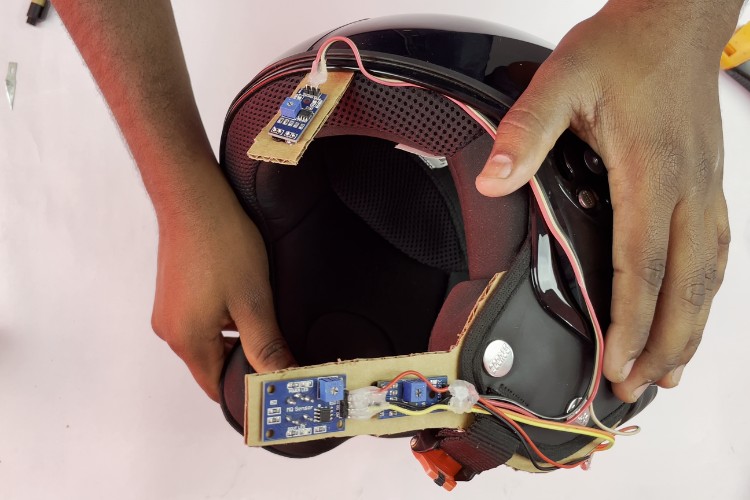
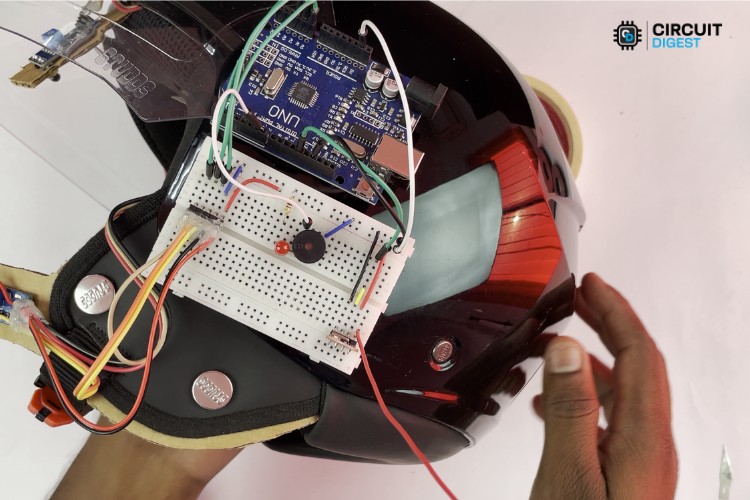
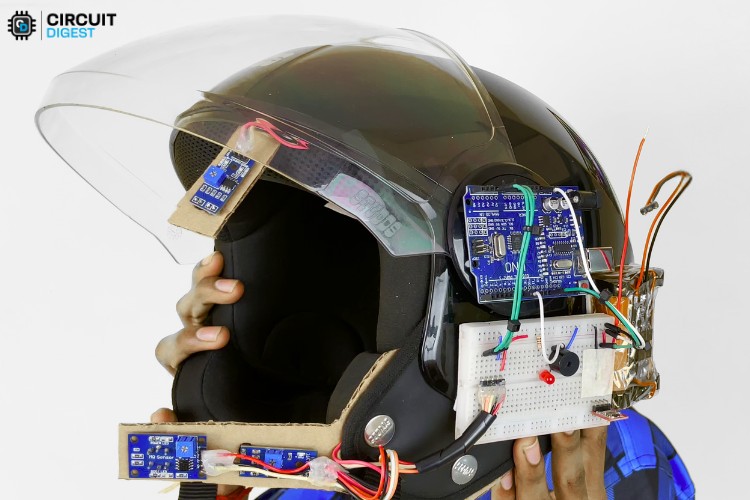
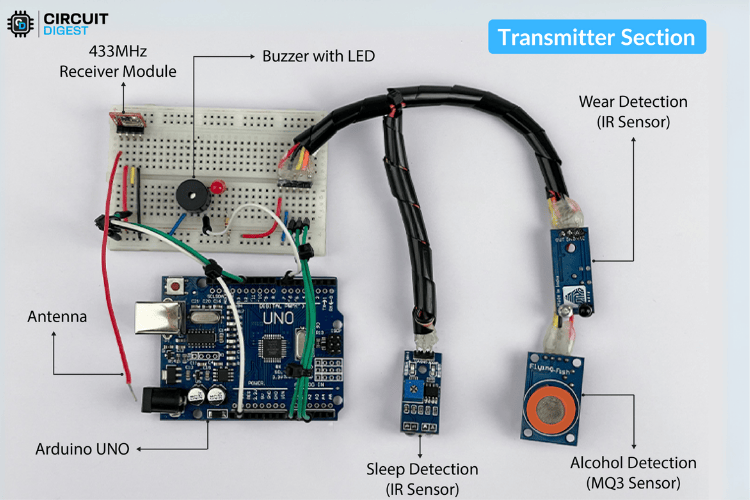
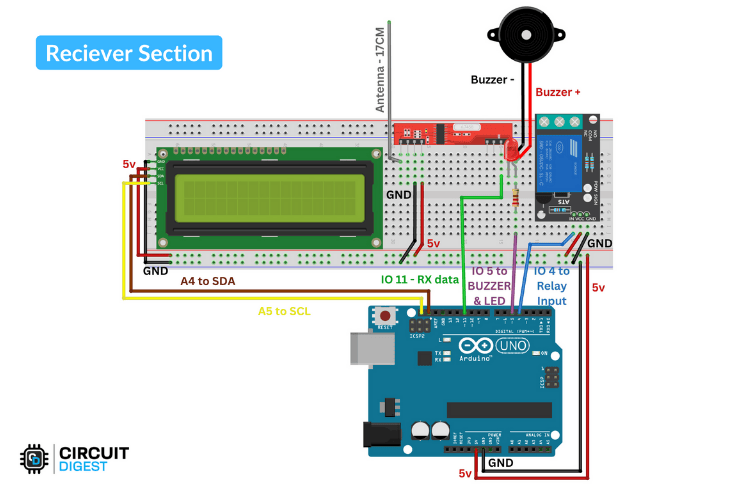
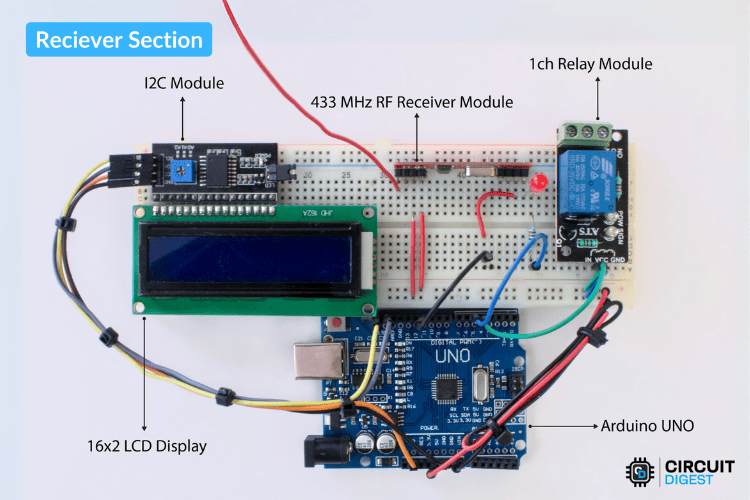
#if DEBUG_MODE
 Serial.begin(9600);  // Start Serial Monitor
 Serial.println("System Initialized...");
#endif
pinMode(wearSensorPin, INPUT);
pinMode(alcoholSensorPin, INPUT);
pinMode(sleepSensorPin, INPUT);
pinMode(buzzerPin, OUTPUT);
digitalWrite(buzzerPin, LOW); // Ensure buzzer is OFF initiallyint alcoholLevel = !digitalRead(alcoholSensorPin);
int sleepSignal = !digitalRead(sleepSensorPin);
int helmetStatus = !digitalRead(wearSensorPin); if (sleepSignal) {
lastSleepDetectionTime = currentMillis;
// Store the current timestamp in the circular buffer
sleepTimestamps[sleepIndex] = currentMillis;
sleepIndex = (sleepIndex + 1) % drowsinessThreshold;
// Check if there are 'drowsinessThreshold' sleep detections within 'drowsinessTimeWindow'
int count = 0;
for (int i = 0; i < drowsinessThreshold; i++) {
if (currentMillis - sleepTimestamps[i] <= drowsinessTimeWindow) {
count++;
}
}
isDrowsy = (count >= drowsinessThreshold);
}
// **Reset drowsiness detection if no sleep signals for resetTime**
if (currentMillis - lastSleepDetectionTime > resetTime) {
isDrowsy = false;
}
#if DEBUG_MODE
Serial.print("Drowsiness Detected: ");
Serial.println(isDrowsy ? "YES" : "NO");
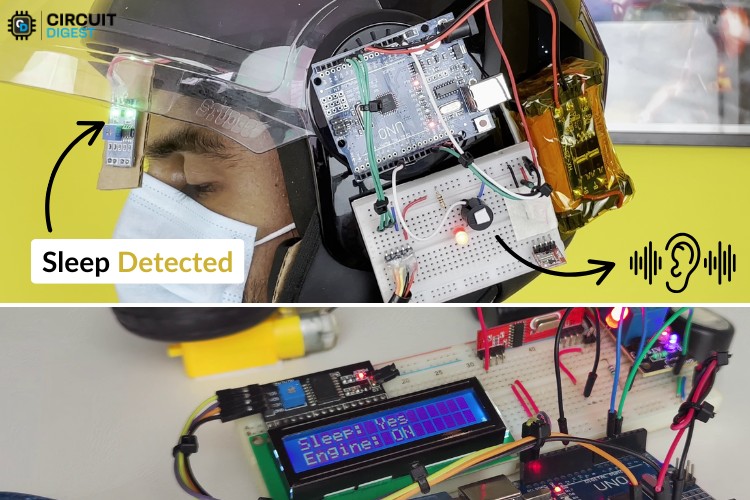
#endif // **Activate Buzzer on Drowsiness Detection**
if (isDrowsy) {
digitalWrite(buzzerPin, HIGH); // Turn ON buzzer
} else {
digitalWrite(buzzerPin, LOW); // Turn OFF buzzer
}// **Send data at regular intervals**
if (currentMillis - lastSendTime >= sendInterval) {
lastSendTime = currentMillis;
// Convert sensor values to a formatted string
String data = String(helmetStatus) + "," + String(alcoholLevel) + "," + String(isDrowsy ? 1 : 0);
// Convert string to char array for RF transmission
char msg[data.length() + 1];
data.toCharArray(msg, data.length() + 1);
// Send data via RF
rf_driver.send((uint8_t *)msg, strlen(msg));
rf_driver.waitPacketSent();lcd.begin();
lcd.backlight();
lcd.setCursor(0, 0);
lcd.print("Smart Helmet");
delay(1000);
lcd.clear();pinMode(ignitionRelay, OUTPUT);
pinMode(buzzerPin, OUTPUT);
digitalWrite(ignitionRelay, LOW); // Default: Vehicle OFF
digitalWrite(buzzerPin, LOW); // Default: No alertif (rf_driver.recv(buf, &buflen)) {
String str_out = String((char*)buf);
lastReceivedTime = millis(); // Update last received time
// Extract values from received string
int comma1 = str_out.indexOf(',');
int comma2 = str_out.lastIndexOf(',');
if (comma1 > 0 && comma2 > comma1) {
str_helmet = str_out.substring(0, comma1);
str_alcohol = str_out.substring(comma1 + 1, comma2);
str_sleep = str_out.substring(comma2 + 1);
helmetStatus = str_helmet.toInt();
alcoholLevel = str_alcohol.toInt();
sleepStatus = str_sleep.toInt();
// Control vehicle ignition based on conditions
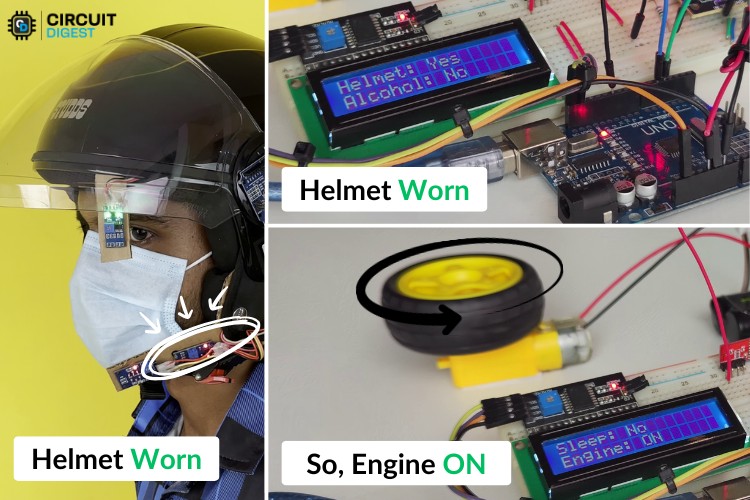
engineState = (helmetStatus && !alcoholLevel);
digitalWrite(ignitionRelay, engineState);
// Activate buzzer if sleep or alcohol detected
digitalWrite(buzzerPin, (sleepStatus || alcoholLevel || page == 99) ? HIGH : LOW);
Serial.print("Received: ");
Serial.println(str_out);
}
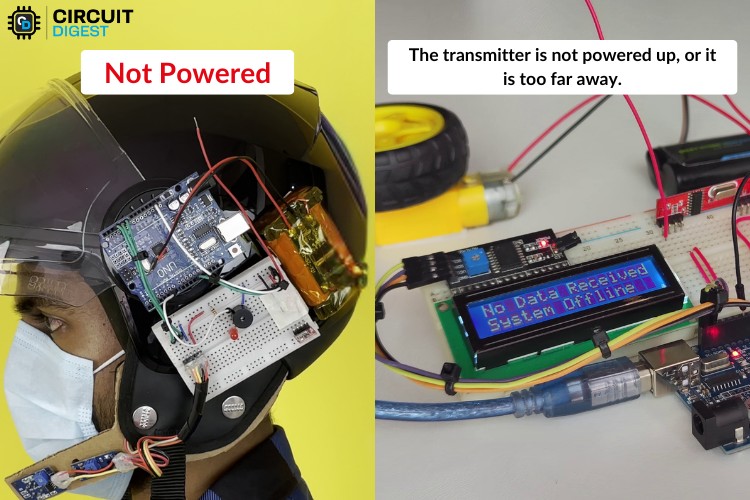
}if (millis() - lastReceivedTime > timeout) {
if (page != 99) {
digitalWrite(buzzerPin, HIGH);
lcd.clear();
lcd.print("No Data Received");
lcd.setCursor(0, 1);
lcd.print("System Offline");
page = 99;
}
return;
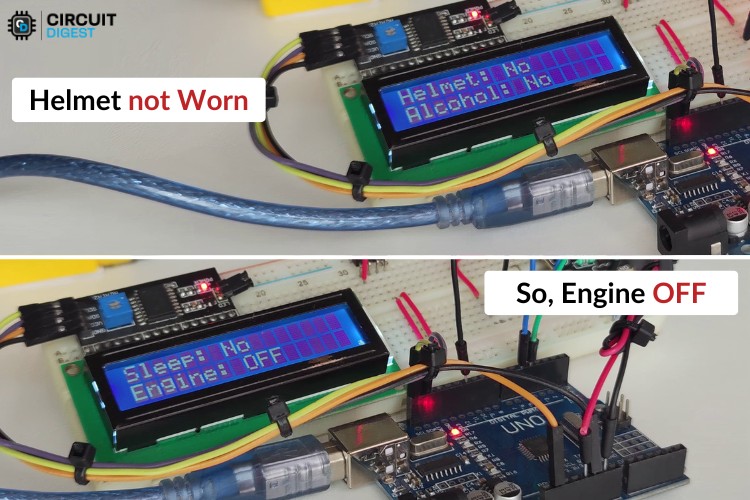
}switch (page) {
case 0: // Page 1: Helmet, Alcohol, and Sleep Status
lcd.setCursor(0, 0);
lcd.print("Helmet: ");
lcd.print(helmetStatus == 1 ? "Yes" : "No ");
lcd.setCursor(0, 1);
lcd.print("Alcohol: ");
lcd.print(alcoholLevel == 1 ? "Yes" : "No ");
break;
case 1: // Page 2: Sleep Status and Engine State
lcd.setCursor(0, 0);
lcd.print("Sleep: ");
lcd.print(sleepStatus == 1 ? "Yes" : "No ");
lcd.setCursor(0, 1);
lcd.print("Engine: ");
lcd.print(engineState ? "ON " : "OFF");
break;
}
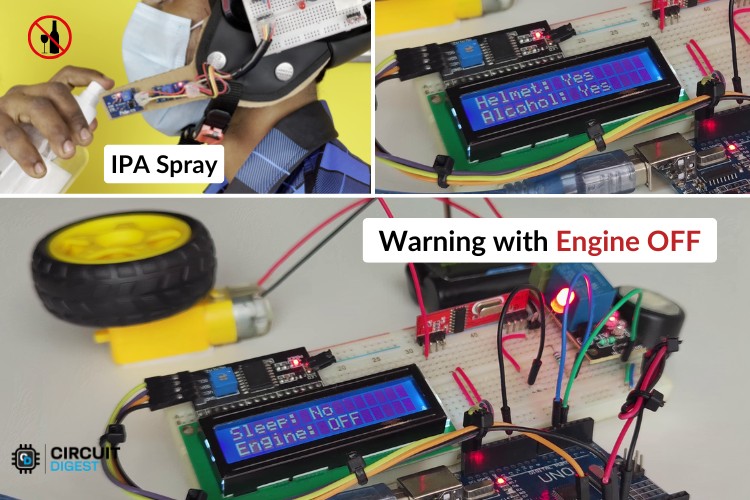
Projets de détection de somnolence similaires
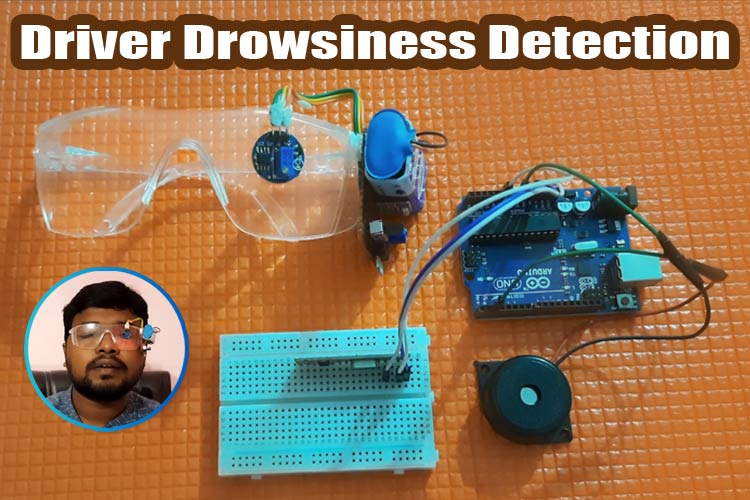
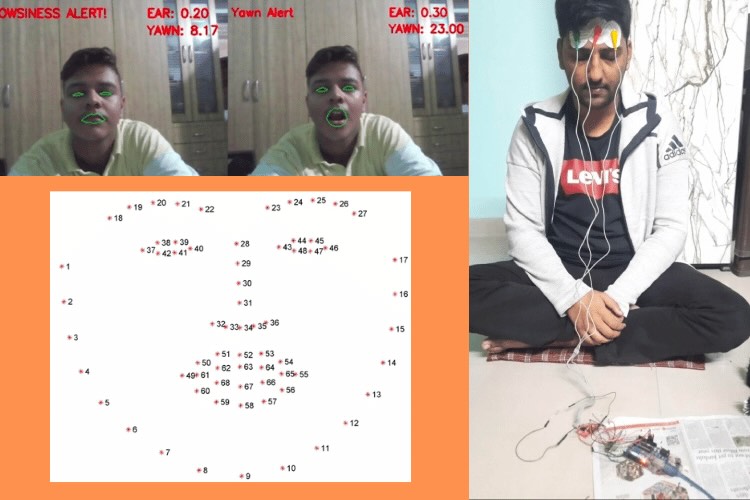
Système de détection de somnolence
Apprenez à construire un système de détection de somnolence à l’aide de Raspberry Pi et Arduino qui surveille les indices faciaux, le comportement de direction et les signaux EEG pour alerter les conducteurs endormis et prévenir les accidents de la route.
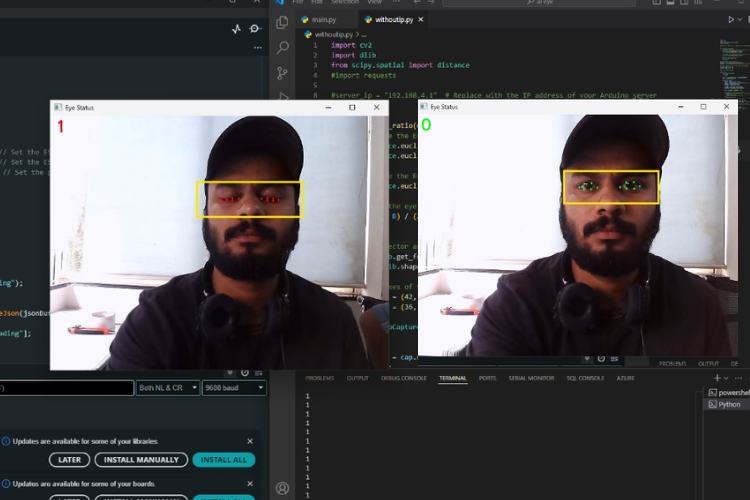
Retrouvez l’histoire de Raspberry Pi dans cette vidéo :

-
 Casque Intelligent L23 Ivory White L
 -
 Smart Construction Casque de sécurité avec 8 ventilateurs et 2 panneaux solaires, casque de sécurité Bluetooth avec chargement USB pour la construction et l'amélioration de la maison, jaune, 22 000 mA